
Lead
Hi, I’m Pomarano.
This post is in the Daily category — about a travel app I built and released.
“Serendipity Trip” (偶然の旅 in Japanese) is on the App Store and Google Play.
The concept is simple: throw a dart at the map and let it pick your destination. When you don’t over-plan, unexpected scenery and encounters can show up along the way. That’s the kind of serendipity this app is for.
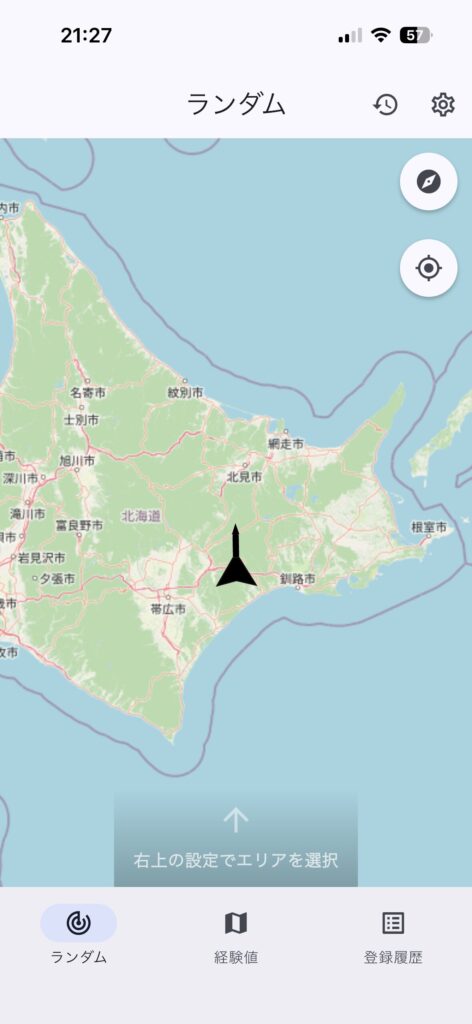
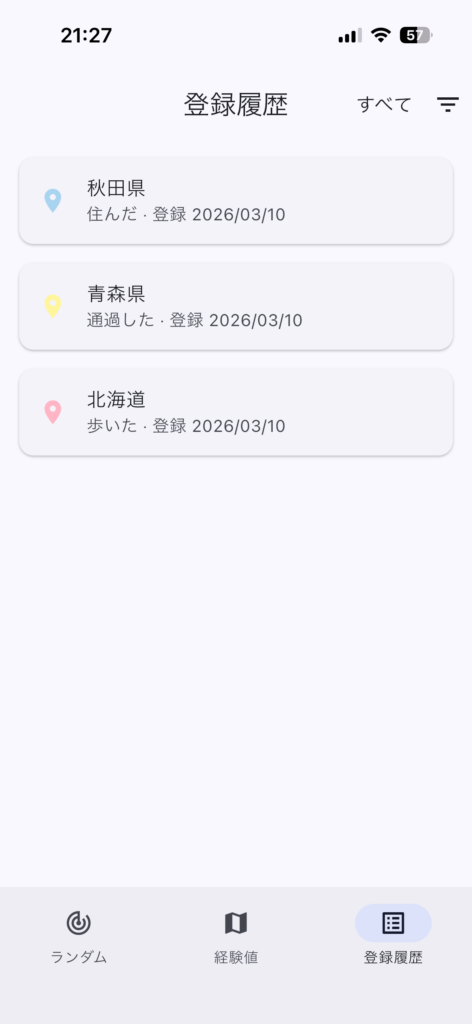
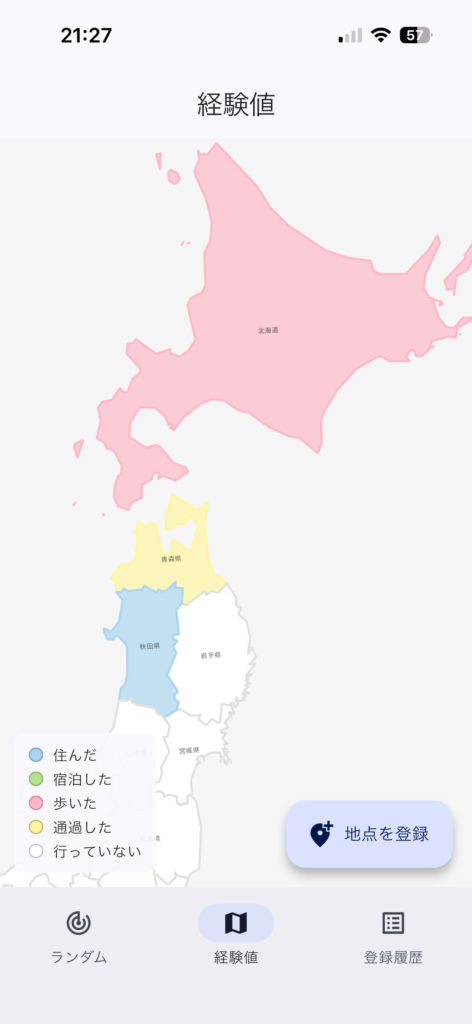
This post covers why I built it, how the randomness works, and what’s in the initial release.
- Japanese version of this post: here
Overview
flowchart LR
  A1["Concept<br/>Serendipity Trip"]
  A2["Random pick<br/>Computed each time"]
  A3["Serendipity Trip<br/>Initial release"]
  A4["Store launch<br/>iOS / Android"]

  A1 --> A2 --> A3 --> A4

  classDef concept fill:#e8f4fc,stroke:#3d7ea6,stroke-width:2px,color:#1a1a1a
  classDef app fill:#e8f5e9,stroke:#2e7d32,stroke-width:2px,color:#1a1a1a
  classDef meta fill:#eceff1,stroke:#607d8b,stroke-width:2px,color:#1a1a1a
  class A1 concept
  class A2 concept
  class A3 app
  class A4 meta

The concept — a trip that welcomes chance
When you plan a trip, do you ever get stuck on “where should I go?” You list options, compare them, and end up back at the usual choices.
Serendipity Trip is an app that leaves the decision to chance.
| Idea | What it means |
|---|---|
| Random destination | Where the dart lands is today’s destination |
| Welcome the unexpected | Unplanned places can bring new views and encounters |
| Keep a record | Log prefectures you’ve visited on a color-coded map |
Think of throwing a dart at a map. Swipe up on the map and the dart flies; where it lands becomes your destination. It works for a weekend with no plan in mind, or a short trip when you want a change of pace.
Truly random — computed fresh every time
Some “random” apps just pick from a fixed list. Serendipity Trip calculates a new point every time you swipe.
Roughly:
- Pick one prefecture at random from the ones you’ve selected (Japan has 47 prefectures)
- Find a random point inside that prefecture’s boundary
- Drop a pin and show the prefecture, municipality, and coordinates
There’s no pre-made list of “100 destinations.” Each swipe starts from scratch, so the same spot won’t repeat in a mechanical loop.
Not sure it’s random enough? Swipe again as many times as you like.
Set your area by prefecture — for real trips too
You can limit random picks by prefecture.
| Setting | Example use |
|---|---|
| All 47 prefectures | Full random — you don’t know where you’ll land |
| Kanto only, Kyushu only, etc. | Pick a broad region, then let the dart choose |
| Prefectures you haven’t visited | Shortcut to target only unvisited areas |
“I want to travel in Tohoku this holiday, but I don’t want to pick the prefecture myself” — narrow the area, then throw the dart. You can use it to decide where to go on your next trip.
Features in the initial release
The app includes:
4-1. Random — decide with a dart
- On the Random tab, swipe up on the map → the dart flies and your destination is set
- A pin marks the spot. Shows prefecture, municipality, and coordinates
- Copy coordinates or address with one tap
- Past results stay in history (with date/time; tap to show on the map again)
4-2. Area settings
- Select multiple prefectures as random targets
- Shortcuts: add all “not visited” or “passed through” prefectures, select all / clear all
4-3. Experience — log where you’ve been
A color-coded map of Japan shows visit status by prefecture.
| Status | Example meaning |
|---|---|
| Lived | Stayed for a long time |
| Stayed overnight | Traveled and slept there |
| Walked | Explored on foot |
| Passed through | Train or car transit |
| Not visited | Haven’t been yet |
Register by prefecture and add notes. If you have multiple entries for the same prefecture, the deeper experience wins on the map color.
4-4. Registration history
- List of logged places
- Filter by prefecture, view details, delete
4-5. Other
- First-run tutorial (Random → Experience → History)
- Current location, button to reset map north
- Records saved on your device (no account required)
Screen flow
Blue = random experience · Gray = logs and settings
flowchart TB
  H["Home (3 tabs)"]
  R["Random<br/>Swipe for dart"]
  E["Experience<br/>Japan map log"]
  L["Registration history"]
  A["Area settings<br/>Pick prefectures"]

  H --> R
  H --> E
  H --> L
  R --> A
  R -->|"After you go"| E

  classDef random fill:#e3f2fd,stroke:#1565c0,stroke-width:2px,color:#1a1a1a
  classDef record fill:#e8f5e9,stroke:#2e7d32,stroke-width:2px,color:#1a1a1a
  classDef nav fill:#eceff1,stroke:#607d8b,stroke-width:2px,color:#1a1a1a
  class R random
  class E record
  class H nav
  class L nav
  class A nav
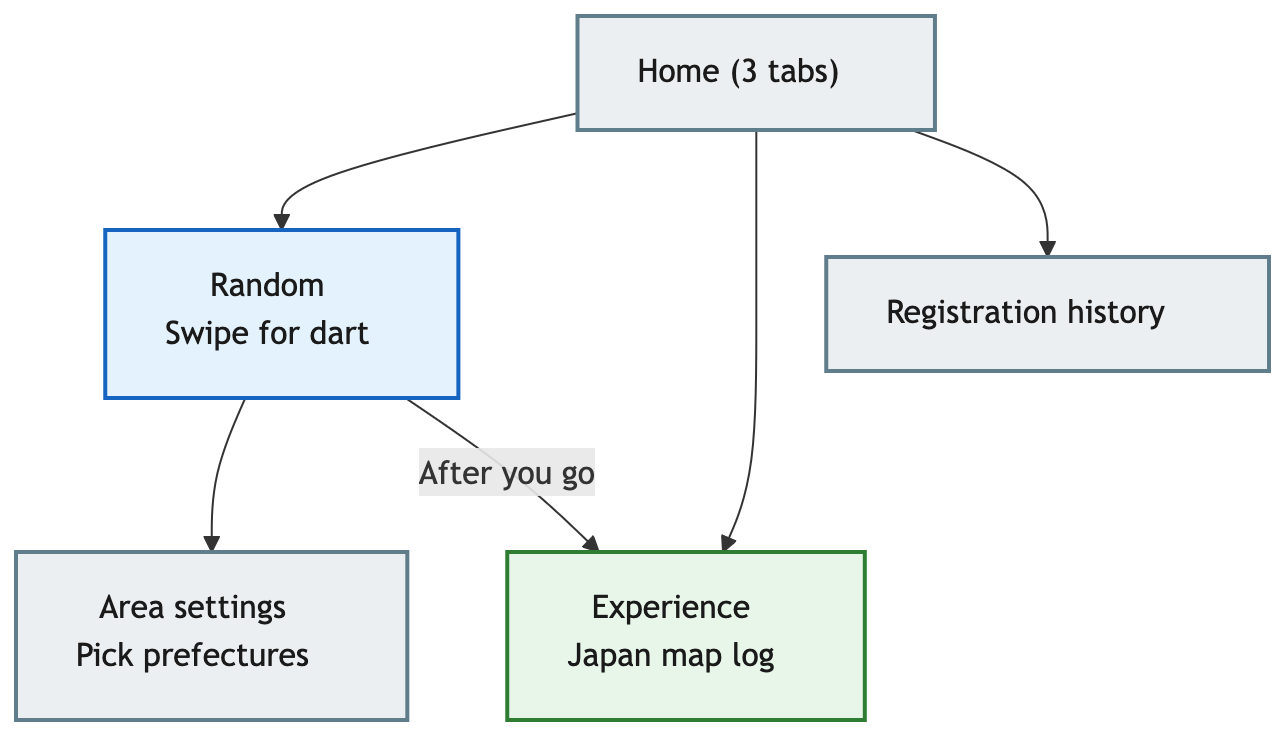
Typical flow:
- In area settings, limit to prefectures you haven’t visited
- Swipe on the Random tab → destination decided
- After you go, register the prefecture on the Experience tab
- Next trip: target unvisited areas only and throw the dart again
Download
| Store | Link |
|---|---|
| App Store (iOS) | Serendipity Trip |
| Google Play (Android) | Serendipity Trip |
The app UI is in Japanese for now. Random history and visit logs are stored on your device.
| Screen | Store messaging |
|---|---|
| Random | Dart picks destination · swipe gesture |
| Experience | Color-coded prefecture map |
| Registration history | List of visits |
| Area settings | Filter by prefecture |
What I learned building it
What worked
- The dart metaphor made “random” easy to grasp
- Prefecture-level area settings support “I choose the region, chance chooses the detail”
- Linking the experience map with random settings (one-tap unvisited prefectures) helps motivation to travel
Still figuring out
- Random results and visit logs are separate — you register visits on Experience manually after a trip
- On islands or narrow regions, calculation can occasionally take a moment
What I’d like to add later
- One-tap registration from a random result to Experience
- English UI in the app
- Export visit records
Summary
- Serendipity Trip picks your destination with a dart and helps you enjoy chance encounters along the way
- Destinations are computed fresh each swipe — truly random
- Prefecture-level area filters work for weekend trips and hunting for places you haven’t been
- Available on the App Store and Google Play
If you’re stuck on where to go, try throwing the dart once. I’d love to hear how it goes in a comment or on X.
Notes
- The app uses location features. Check your device settings when you use it.
- Ads are shown (banner, and occasional full-screen ads tied to dart throws).

コメント