
Lead
Hi, I’m Pomarano.
In my AI Agent Study Notes, I used X post copy + proofreading as a small, measurable example. At work, though, you often need the big picture first: how chat AI differs from agents, how to build them, and what MCP means.
This post covers, in order:
- Chat AI vs AI agents — the decisive difference
- Four building blocks — brain, memory, tools, reflection
- Build methods — visual (no-code/low-code) and code-based tools
- MCP (Model Context Protocol)
- Use case — semi-automated customer inquiry handling with multiple agents
- How the same case maps to Dify, LangGraph, and MCP (details in follow-ups)
Follow-up articles:
| Part | Content |
|---|---|
| This post | Overview · four elements · methods · MCP · case design |
| Next | Dify build details (JP published) |
| Then | LangGraph build details (JP published) |
The Study Notes series goes deep on one topic; this series is a workplace map → hands-on build.
- Japanese version: here
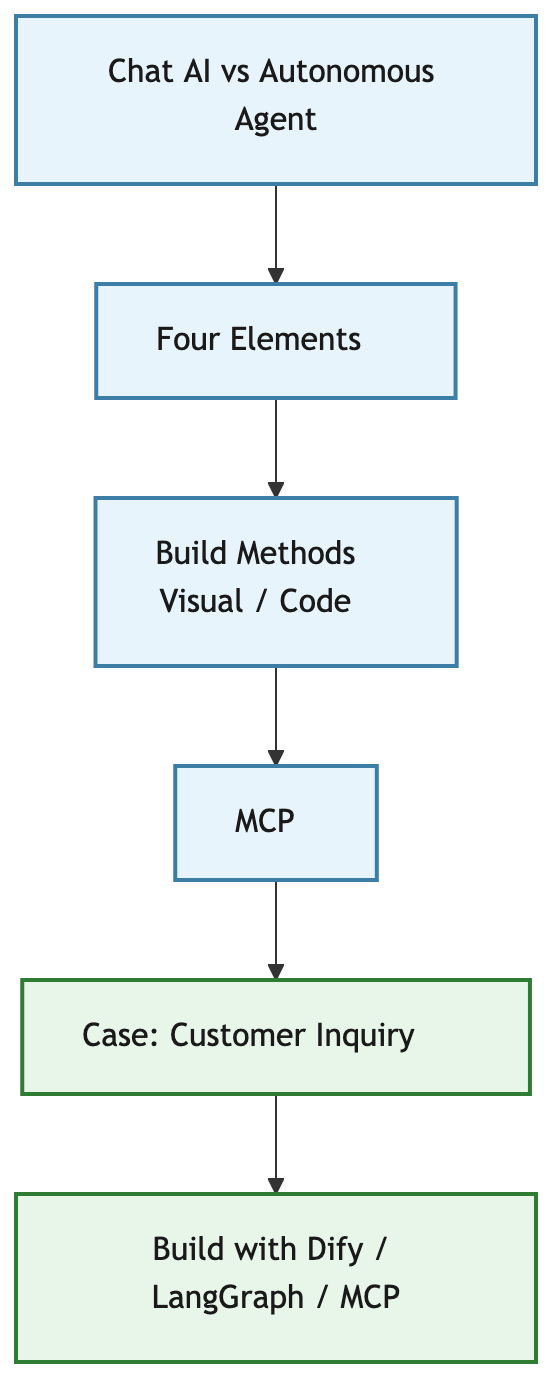
Overview
flowchart TB
  A["Chat AI vs Autonomous Agent"]
  B["Four Elements"]
  C["Build Methods<br/>Visual / Code"]
  D["MCP"]
  E["Case: Customer Inquiry"]
  F["Build with Dify / LangGraph / MCP"]

  A --> B --> C --> D --> E --> F

  classDef concept fill:#e8f4fc,stroke:#3d7ea6,stroke-width:2px,color:#1a1a1a
  classDef build fill:#e8f5e9,stroke:#2e7d32,stroke-width:2px,color:#1a1a1a
  class A,B,C,D concept
  class E,F build
1. The Decisive Difference — Traditional AI vs AI Agents
1-1. Chat AI (conversational)
Similar to using ChatGPT or Claude in chat mode:
- You send prompts each turn
- The model mainly answers or generates text
- Next steps and external systems are usually decided by humans
Strong as a consultant or draft writer; repeating the same procedure at scale means re-explaining every time.
1-2. AI agents (autonomous)
An agent observes → decides → acts toward a goal:
- A goal comes first (e.g. draft a reply to an inquiry)
- It can choose and call tools — search, APIs, files
- It loops — retry or revise if output is not good enough
| Aspect | Chat AI | AI agent |
|---|---|---|
| Stance | Reactive | Proactive toward a goal |
| Instructions | Turn-by-turn chat | Goal + rules (spec) |
| Scope | Mostly text | Tools, multi-step workflows |
| Output | Conversation | Artifacts — drafts, tickets, files |
| Human role | Every turn | Semi-automation — review when needed |
Not either/or: brainstorm in chat; run typed business work with agents.
2. Four Elements of an AI Agent
Different tools, similar anatomy:
flowchart LR
  T["Brain / LLM"]
  M["Memory"]
  A["Action / Tools"]
  R["Reflection"]

  T --> A
  M --> T
  A --> R
  R --> T

  classDef e fill:#e8f5e9,stroke:#2e7d32,stroke-width:2px,color:#1a1a1a
  class T,M,A,R e

| Element | Role | Customer inquiry example |
|---|---|---|
| Brain (LLM) | Understand and decide next step | Category, draft reply |
| Memory | Short/long-term context | FAQ, past cases, order info |
| Action (tools) | Affect the outside world | Ticket search, order API, save draft |
| Reflection | Review and retry | Tone check, forbidden phrases, regenerate |
The Study Notes copy + proofreading pair is close to brain + reflection. Add memory and tools for production work.
3. Build Methods
3-1. Visual (no-code / low-code)
Wire nodes on a canvas:
| Tool | Strength | Good for |
|---|---|---|
| Dify | Agents/workflows, knowledge, API | Business PoC, FAQ, inquiry |
| n8n | Many SaaS connectors | Automation hubs |
| Microsoft Copilot Studio | Microsoft 365 / enterprise | IT-managed Microsoft shops |
Hands-on in this series: Dify — easy to visualize classify → draft → check and attach FAQ knowledge.
3-2. Code-based
Explicit state, branching, retries, internal APIs:
| Framework | Strength | Good for |
|---|---|---|
| LangGraph | Stateful graph, multi-node agents | Branching, retries, business logic |
| OpenAI Agents SDK | Official agent + tools pattern | Small starts on OpenAI stack |
| LlamaIndex | RAG, retrieval pipelines | Document-heavy FAQ use cases |
Hands-on in this series: LangGraph — inquiry flow maps cleanly to State and nodes; APIs extend well.
3-3. Which to try first
| Priority | First pick |
|---|---|
| Speed, easy to explain | Dify |
| Internal APIs, fine control | LangGraph |
Common path: nail the flow in Dify, move heavy integration to LangGraph later.
4. MCP — Model Context Protocol
MCP is a common way for AI apps and agents to talk to external tools and data.
| Role | What it does |
|---|---|
| MCP server | Exposes files, DB, tickets, browser as tools |
| MCP host/client | IDE, desktop app, or your agent calls the server |
For agents:
- Memory and tools can be swapped without rewriting the host
- Same MCP server can serve Dify and LangGraph
- Model changes do not always mean rewriting every integration
Caveat: MCP does not auto-solve auth, secrets, or audit. Which servers to allow is still human design.
5. Use Case — Customer Inquiry (Semi-Automation)
Humans still send replies. Agents classify, draft, and check.
5-1. Why multiple agents
| Agent | Job | Four elements |
|---|---|---|
| ① Classify | Category, urgency | Brain (+ memory if needed) |
| ② Draft | Reply from FAQ/templates | Brain · memory · tools |
| ③ Check | Tone, rules, required items | Reflection (+ brain) |
flowchart LR
  U["Inquiry"]
  A1["① Classify"]
  A2["② Draft"]
  A3["③ Check"]
  H["Human review & send"]

  U --> A1 --> A2 --> A3 --> H

  classDef agent fill:#e8f5e9,stroke:#2e7d32,stroke-width:2px,color:#1a1a1a
  classDef io fill:#eceff1,stroke:#607d8b,stroke-width:2px,color:#1a1a1a
  class A1,A2,A3 agent
  class U,H io

5-2. Human vs agent
| Who | Work |
|---|---|
| Agent | Classify, draft, check |
| Human | Review, edit, send |
Fully auto-reply is out of scope here — wrong-send risk is too high.
6. Mapping the Case to Dify, LangGraph, and MCP
6-1. Comparison table
| Element | Dify | LangGraph | With MCP |
|---|---|---|---|
| Brain | LLM nodes | LLM per node | Host LLM plans/calls |
| Memory | Knowledge, variables | Vector store, State | MCP document/DB server |
| Tools | Built-in, HTTP | Python functions | MCP tools |
| Reflection | Check LLM node | review node, retry edge | Validation tools + LLM loop |
6-2. Dify (visual — hands-on)
Goal: Run classify → draft → check on screen.
| Element | In Dify |
|---|---|
| Brain | Three LLM nodes |
| Memory | FAQ knowledge + Knowledge Retrieval node |
| Tools | HTTP for order lookup (optional at first) |
| Reflection | Check node, fix forbidden phrases |
Details: Dify build article (Japanese).
Pros: Fast PoC, easy to demo. Cons: Complex retries/API glue often easier in code later.
6-3. LangGraph (code — hands-on)
Goal: Explicit State, nodes for classify / draft / review.
| Element | In LangGraph |
|---|---|
| Brain | Prompt + LLM in each node |
| Memory | State + FAQ file / retriever |
| Tools | Functions called from draft |
| Reflection | review; conditional edge back to draft |
Details: LangGraph build article (Japanese).
Pros: Retries, logs, API control. Cons: More setup (env, deploy, auth).
6-4. MCP (rewiring memory and tools)
Extract FAQ search and order lookup as MCP servers so both hosts reuse the same tools.
Suggested order:
- Run the 3-agent flow in Dify or LangGraph without MCP
- Move external I/O (e.g. order lookup) to an MCP server
- Call the same MCP from the other host
7. Quick Selection Guide
| Situation | Recommendation |
|---|---|
| Nail the business flow first | Dify hands-on |
| Core is internal APIs / retries | LangGraph hands-on |
| Same tools from multiple hosts | MCP for memory/tools |
| Measure quality like Study Notes | Separate check agent, track pass rate (Part 3) |
Summary
- Chat AI is conversational; agents pursue goals with tools and loops
- Decompose into brain · memory · tools · reflection to compare products
- Build visually (Dify / n8n / Copilot Studio) or in code (LangGraph / Agents SDK / LlamaIndex). This series uses Dify and LangGraph
- MCP standardizes how memory and tools plug in
- Customer inquiry: classify → draft → check; humans send
Follow-ups with build steps and test results: Dify · LangGraph (Japanese published; English drafts in repo).

コメント